


Case study: deterministic reporting workflow
By Grant Crawley · 18 July 2026
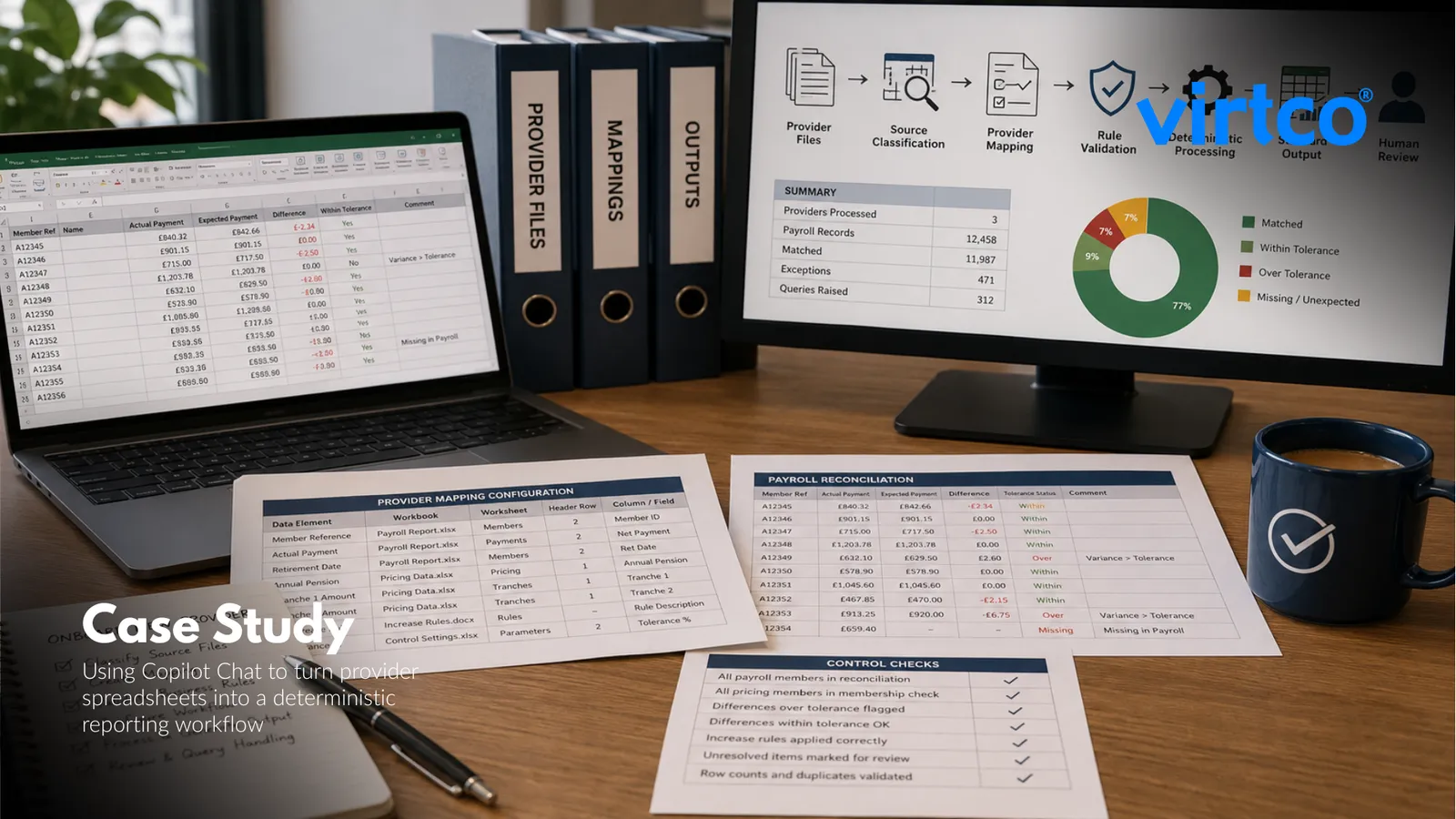
Case study: using Copilot Chat to turn provider spreadsheets into a deterministic reporting workflow
Executive summary
A regulated client had a recurring reporting problem: each pension provider supplied data in a different spreadsheet format, but the final reconciliation output had to be consistent, controlled and review-ready.
I used the free version of Microsoft 365 Copilot Chat not as the calculation engine, but as a build partner. Copilot Chat helped me inspect the provider files, identify the repeatable business logic, design the mappings and generate the supporting workflow. The actual processing was handled by deterministic Python and spreadsheet logic.
The result was a configurable workflow that could take inputs from newly onboarded providers, build the required mapping and produce a standard set of output spreadsheets with the same structure every time. What had previously taken several hours per provider was reduced to around four minutes to configure and process three new providers and deliver the final outputs.
The client was blown away by the speed, but the more important result was control: the workflow became consistent, high quality and repeatable.
The challenge
The client needed to reconcile and report on data from multiple pension providers.
Each provider supplied broadly similar information, but in very different formats. Some files were system-generated payroll reports with multiple worksheets. Others were simpler payroll extracts or pivot-style workbooks. Pricing data, benefit specifications, pension tranches, increase rules and query logs were also held in different structures.
The underlying process was consistent:
- compare the provider payroll report against expected pension values;
- match members using the correct reference field;
- calculate the expected monthly payment;
- apply the relevant increase rules;
- compare actual against expected;
- apply a tolerance;
- identify missing, unexpected or changed members;
- produce a review-ready workbook and query log.
The difficulty was not the business logic. The difficulty was the variation in source formats.
A person could work through each provider manually, but it was slow, repetitive and exposed the process to inconsistency. The client needed a way to onboard new provider formats quickly without rebuilding the reconciliation from scratch each time.
Why I did not use Copilot Chat as the reconciliation engine
The key design decision was to avoid asking Copilot Chat to “compare these spreadsheets” directly.
That would have created unnecessary risk. Large language models are useful for interpreting documents, drafting logic, explaining process steps and helping build code, but they should not be relied on to perform controlled monetary calculations inside a reconciliation process.
Instead, I used a three-layer design:
A provider configuration layer
Each provider had a mapping file that explained where to find the required fields in its source documents.A deterministic processing layer
Python and spreadsheet logic performed the calculations, comparisons, tolerance checks and workbook generation.A Copilot Chat support layer
Copilot Chat helped classify inputs, draft mappings, challenge assumptions, generate code and review the logic.
This is exactly the kind of controlled, thin-slice automation pattern virtco® recommends: start with one measurable bottleneck, map the workflow, define the baseline and use the right tool for each part of the job rather than forcing artificial intelligence to do everything. virtco®’s roadmap material stresses that pilots should be measured against time, quality and volume, and that tool selection should be based on workflow fit, auditability and human review rather than novelty.
The solution
The solution was a deterministic workflow that standardised different provider inputs into one common output model.
For each provider, the workflow could identify and map:
- the payroll source workbook and worksheet;
- the member reference field;
- the actual payroll amount;
- the pricing data source;
- the annual or monthly pension value;
- date of retirement or pension start date;
- pension tranche columns;
- annual or anniversary increase rules;
- special member rules;
- tolerance thresholds;
- prior comments and query log information.
Once mapped, the workflow normalised the provider data into a common table, applied the defined rules and produced a consistent output workbook.
The standard output included:
- Summary — source files, record counts, matches, exceptions and query totals;
- Payroll Reconciliation — member reference, actual payment, expected payment, difference, tolerance status and comments;
- Membership Reconciliation — pricing data members checked against payroll records;
- Query Log — discrepancies, suggested query reasons, reviewer comments and status;
- Source Mapping — the mappings used for that provider;
- Control Checks — row counts, duplicates, missing fields and rule validation.
The important point is that every provider ended up with the same final reporting structure, even though their input files looked different.
How Copilot Chat was used
Copilot Chat was used throughout the build, but always in a controlled role.
1. Classifying the source files
First, Copilot Chat was asked to review the file pack and classify each document as a payroll report, pricing data extract, reconciliation workbook, benefit specification, increase guidance, movement report, query log or unknown file.
This avoided guesswork. It also created a clear checklist of what was present, what was missing and which files needed human confirmation before processing.
2. Building provider mappings
Next, Copilot Chat helped draft a structured mapping for each provider.
The mapping described which workbook, worksheet, header row and column names should be used for the reconciliation. It also captured provider-specific increase rules and any unresolved questions.
The output was a configuration file rather than a one-off manual interpretation. That meant the same provider could be processed again in future without repeating the discovery work.
3. Validating business rules
Copilot Chat was then used as a control reviewer.
It checked whether the proposed mapping was supported by the available source documents. Where a rule was unclear, it was marked as ambiguous rather than guessed.
This mattered because pension reconciliation is a controlled process. The workflow had to stop where required evidence was missing, not fill gaps with plausible assumptions.
4. Generating the deterministic processing logic
Once the mappings and rules were confirmed, Copilot Chat helped generate and refine the Python workflow.
The script was designed to:
- load the provider configuration;
- read the correct worksheets;
- normalise member references;
- normalise currency values;
- calculate expected monthly pension;
- apply tranche-level increase rules only where configured;
- compare actual and expected payments;
- apply the tolerance;
- flag discrepancies;
- preserve prior comments;
- generate the final workbook.
The monetary logic was handled deterministically. Copilot Chat helped write and review the code, but it did not calculate the outputs itself.
5. Auditing the output
Finally, Copilot Chat was used to review the generated workbook against the source mapping and control expectations.
The review checked whether:
- every payroll member appeared in the reconciliation;
- every pricing data pensioner appeared in the membership check;
- differences above tolerance were flagged;
- differences within tolerance were not over-queried;
- increase rules were applied only where eligible;
- unresolved cases were marked for human review.
That gave the client a clear, repeatable checking process rather than an opaque spreadsheet exercise.
The workflow architecture
The workflow was deliberately simple.
Provider files
   ↓
Source classification
   ↓
Provider mapping configuration
   ↓
Business rule validation
   ↓
Deterministic Python processing
   ↓
Standard output workbook
   ↓
Human review and query handling
This architecture made the process adaptable.
When a new provider was onboarded, the workflow did not need to be rebuilt. It needed a new mapping. Once the mapping was created and validated, the same deterministic engine could produce the same standard report structure.
That is where the efficiency gain came from.
The result
The measurable result was dramatic.
The previous process could take several hours per provider. With the new workflow, three newly onboarded providers were configured, processed and delivered in around four minutes.
The outputs were:
- fully deterministic;
- structurally consistent;
- repeatable across providers;
- easier to check;
- easier to audit;
- faster to reproduce;
- better suited to future provider onboarding.
The client reaction was immediate. They were impressed by the speed, but also by the fact that the process did not feel like an uncontrolled artificial intelligence experiment. It felt like a proper business workflow, with artificial intelligence used in the right places and deterministic logic used where precision mattered.
What made the use case work
There were five reasons this worked so well.
1. The task was highly suitable for automation
The process was repetitive, structured and rules-based. The data arrived in spreadsheets. The output format was known. The quality requirement was consistency.
That made it a good candidate for a thin-slice pilot: one defined bottleneck, one measurable baseline and one clear target improvement. virtco®’s pilot guidance recommends starting with high-impact, high-feasibility tasks and measuring the before state before automating.
2. Copilot Chat was used for judgement support, not uncontrolled calculation
Copilot Chat was excellent for reading, explaining, drafting, challenging and accelerating the build.
It was not used to perform the reconciliation calculations. That distinction protected quality.
3. The process separated mapping from processing
Provider variation was handled in configuration, not hard-coded into the workflow.
That meant onboarding a new provider became a mapping exercise rather than a new development project.
4. The output was standardised
Every provider produced the same final workbook structure.
That made review easier, reduced cognitive load for the client team and created a stronger control environment.
5. The workflow kept humans in control
The workflow produced a review-ready output. It did not remove the need for professional judgement where rules were ambiguous or exceptions needed business review.
That human-in-the-loop design is consistent with virtco®’s broader approach to safe adoption: use artificial intelligence to remove drudgery, but keep people responsible for approval, exception handling and operational decisions.
Why the free version of Microsoft 365 Copilot Chat was enough
One of the most interesting parts of the case study was that the workflow was built using the free version of Microsoft 365 Copilot Chat.
That mattered because it challenged a common assumption: that meaningful artificial intelligence value always requires a large platform purchase, enterprise licence or complex architecture.
In this case, the value came from:
- choosing the right use case;
- defining the workflow clearly;
- using Copilot Chat to accelerate analysis and build work;
- keeping calculations deterministic;
- designing the output for review and reuse.
The tool helped, but the process design created the value.
Lessons for other teams
This case study is a useful pattern for any organisation dealing with inconsistent spreadsheets from multiple suppliers, providers, branches or business units.
The lesson is not “let artificial intelligence reconcile your spreadsheets”.
The lesson is:
- use artificial intelligence to understand the documents;
- use it to help create mappings;
- use it to generate and improve deterministic code;
- use it to review logic and explain exceptions;
- keep the calculations, controls and outputs deterministic.
That combination gives you speed without sacrificing repeatability.
Where this pattern could apply next
The same approach could be applied to other operational reporting processes, including:
- supplier statement reconciliation;
- payroll and pension checks;
- invoice matching;
- management information packs;
- regulatory evidence gathering;
- branch or franchise reporting;
- customer data normalisation;
- onboarding data from new partners.
Any process with repeatable inputs, variable formats and a required standard output is a candidate.
Final reflection
This was not a flashy artificial intelligence project. It was better than that.
It was a practical workflow that took a painful, manual, provider-by-provider reporting process and turned it into a controlled, repeatable, deterministic system.
Copilot Chat accelerated the thinking, mapping and build work. Python and spreadsheet logic delivered the controlled outputs. The client got the speed benefit without losing trust in the numbers.
That is the real opportunity for many businesses: not replacing judgement with artificial intelligence, but using artificial intelligence to engineer better workflows around the judgement they already have.
If you want to identify similar opportunities in your own organisation, start with the virtco® AI Readiness Assessment. It is designed to help you find the right bottleneck, test the business case and move from idea to measurable outcome.